Controllers
Controllers Pre-Auth Integration
The code and diagrams below outline the necessary updates needed in order to integrate the Forter Cartridge into a Pre-Auth flow for a Controllers-based SFCC storefront.
Update the COPlaceOrder.js
Add the following code to your existing handlepayments (order) function within your COPlaceOrder.js file:
var argOrderValidate = {
                Order: order,
                orderValidateAttemptInput: 1
            },
            forterController = require('int_forter/cartridge/controllers/ForterValidate'),
            forterDecision   = forterController.ValidateOrder(argOrderValidate);
        // in case if no response from Forter, try the call one more time
        if (forterDecision.result === false && forterDecision.orderValidateAttemptInput == 2) {
        	var argOrderValidate = {
                    Order: order,
                    orderValidateAttemptInput: 2
                },
                forterController = require('int_forter/cartridge/controllers/ForterValidate'),
                forterDecision   = forterController.ValidateOrder(argOrderValidate);
        }

        if (forterDecision.JsonResponseOutput.processorAction == 'void') {
            if (!empty(forterDecision.PlaceOrderError)) {
                return {error : true, forterErrorCode : forterDecision.PlaceOrderError};
            } else {
                return {error : true};
            }
        }
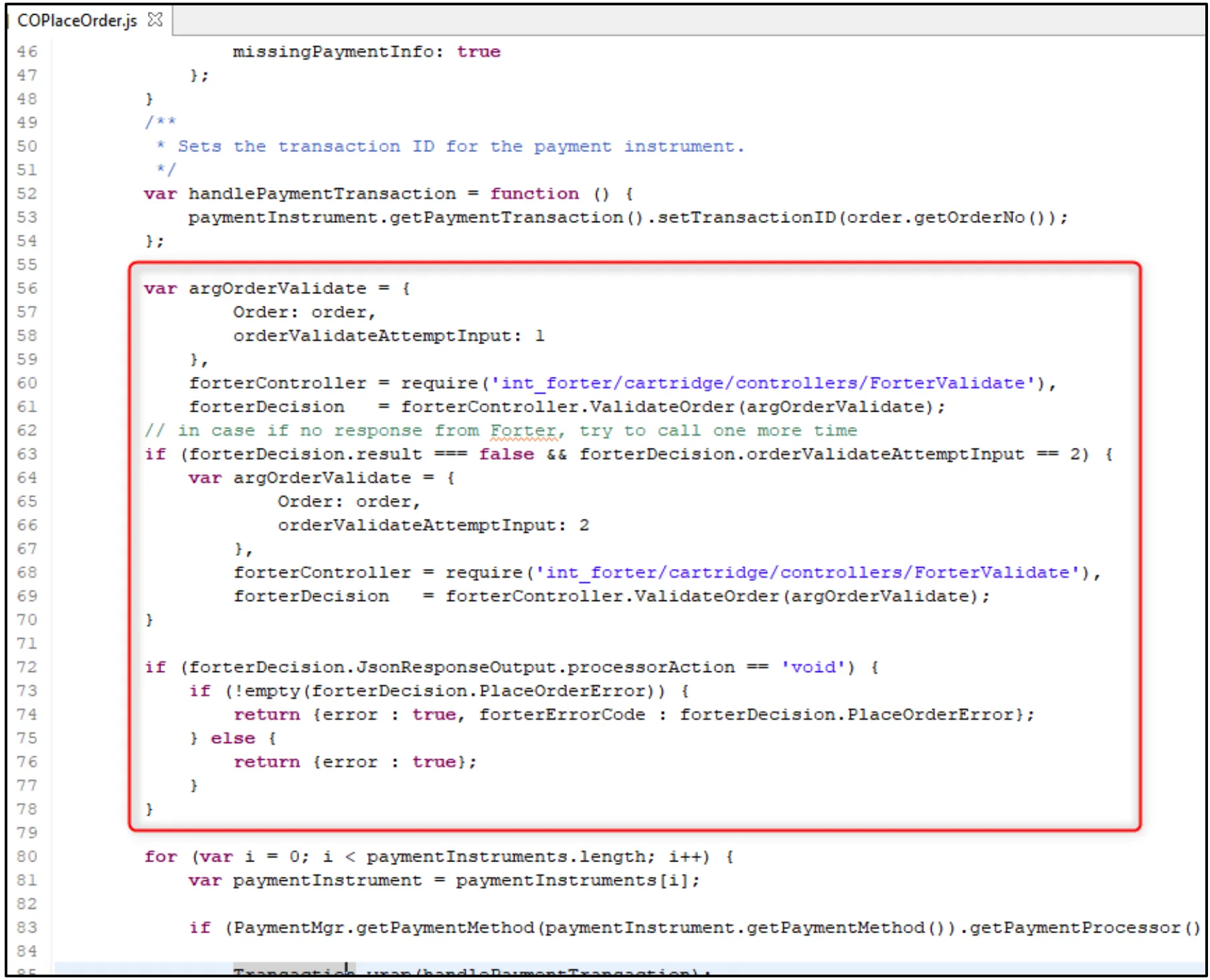
Placement of argOrderValidate
The below screenshot and commented code below illustrate the recommended placement of the code within the handlePaymentTransaction function.