PayPal Controller
Overview
The Forter cartridge has built-in functionality for saving the PayPal API responses including the following responses:
- transaction details
- capture
- void
- authorization
- expresscheckout
The data is stored as a JSON string in a custom attribute called the Order Payment Instrument object. Each response is saved to a dedicated custom attribute. The recommended type for these custom attributes is Text since in some cases the response is over 4K characters. In order to save the PayPal response, a script node must be added to anywhere the required data exists.
For example PayPal transaction details may be saved right after a call to PaypPal-GetTransactionDetails and passed into the int_forter:pipelets/forter/ForterCallStoreResponse.ds script. In the script, Dictionary Input, the “paypal_transaction_details_response” is actually the custom attribute response from the, PaypalTransactionDetails.
This data point is an object that contains information about the current transaction and PaymentInstrument is your current payment instrument.
Error Handling
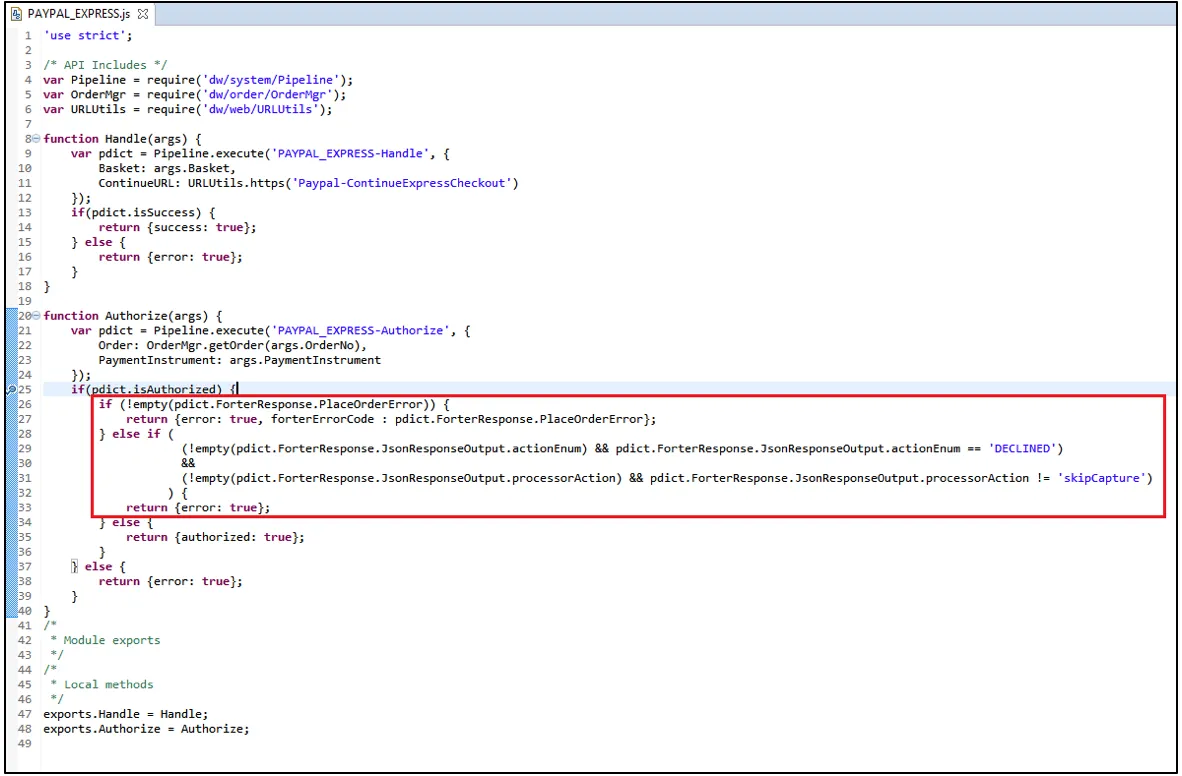
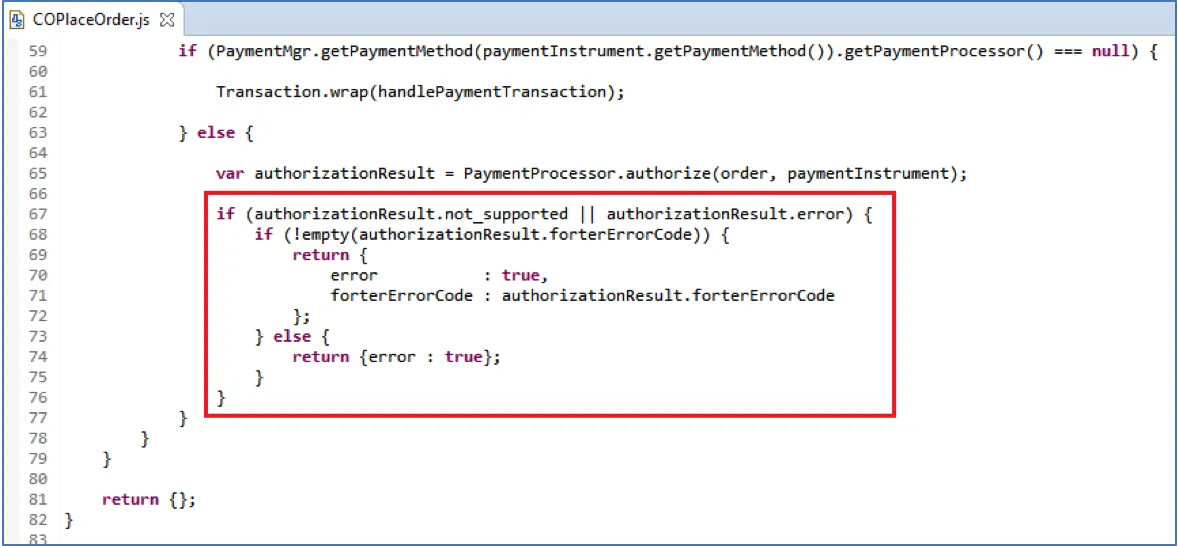
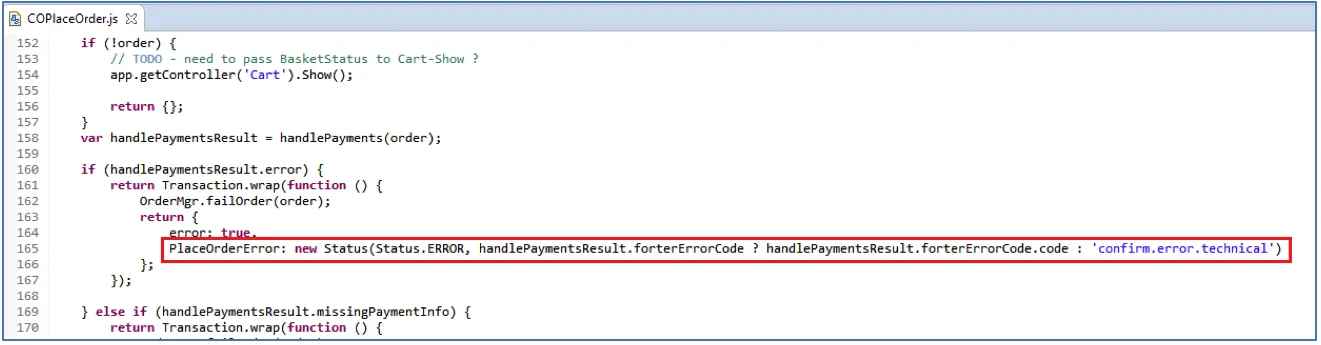
Adjusting Cartridge Controllers for your Paypal Processor Response
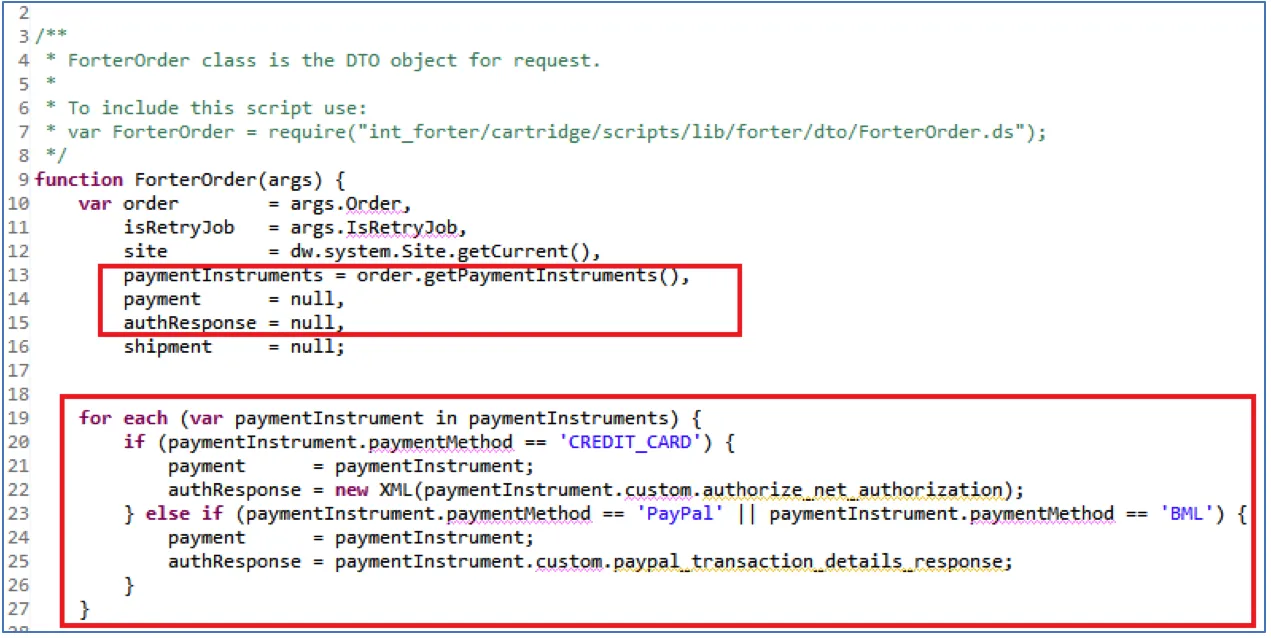
The ForterOrder.ds file should be edited to use the response from your payment processor.
Overview
The script is used to generate the request object for Forter validation. In the example below, we store the response from **authorize.net** on the payment instrument itself in a custom attribute to be used in this script.
If your implementation does not store the response on the payment instrument, you can pass the response object from your payment processor to the validateOrder function (located in the ForterValidate.js controller) as an input, which will be sent as a parameter to the ForterOrder.ds file to generate the request object.
The script examples below (2.4 and 2.5) has commented code as an example to illustrate the optional and required values that need to be sent.