Worldpay Payment Webhook
Log in to the production Merchant Administration Interface (MAI)
Click INTEGRATION, then select Merchant Channel from the top menu.
In the Merchant Channels (Production) area, activate the http channel and select xml under Content.
Enter the webhook’s address in the Address field.
https://<your-forter-site-id>.api.forter-secure.com/webhooks/worldpay/status/<your-forter-site-id>?authToken=<your-forter-secret-key-base64-encoded>
Retrieve your site ID and secret key from the Credentials section of Forter Portal
If it is already occupied by another address, enter the webhook’s address with a single space separating them.
In the Merchant Channel Events (Production) area, check all checkboxes under http.
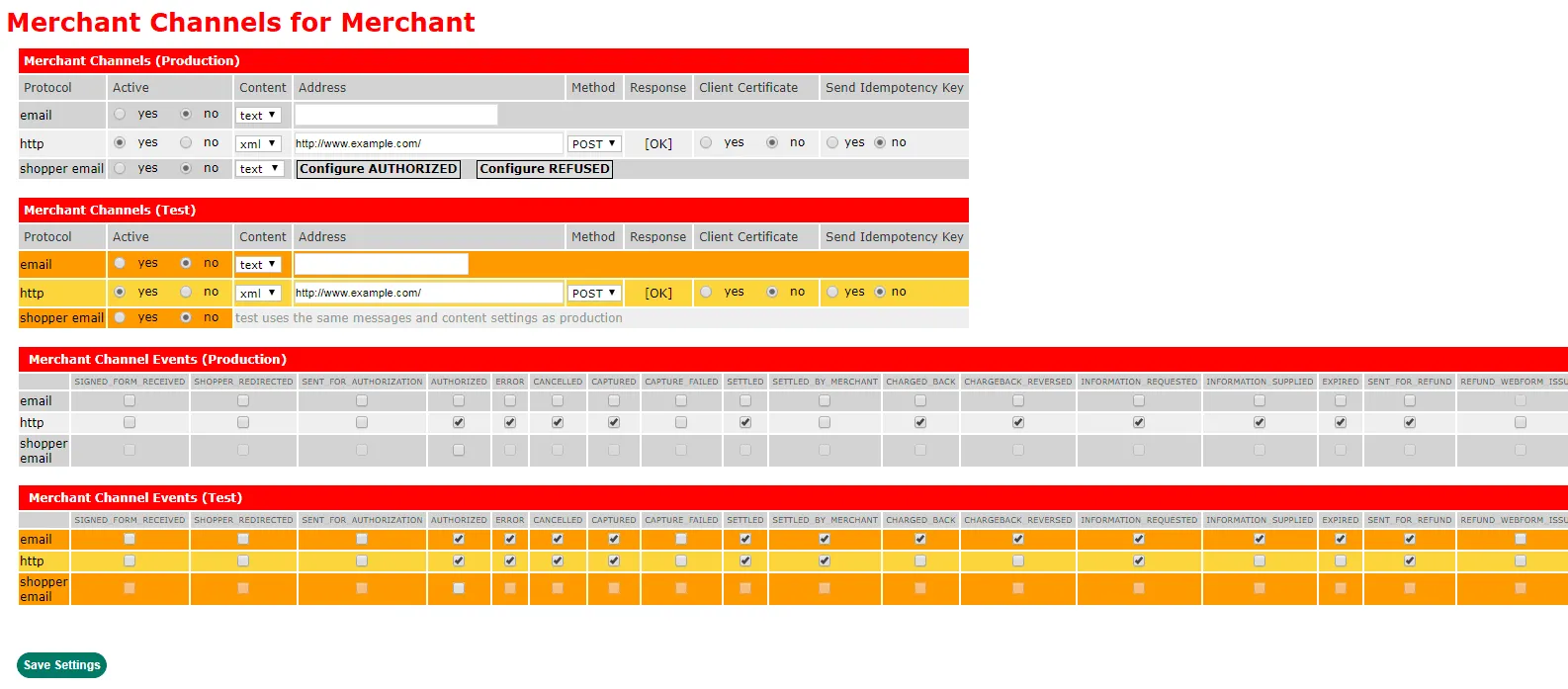
Click Save Settings.
Notify us that the webhook is enabled and we'll verify everything looks good on our end.