Getting Started
The Forter MCP server opens Forter's capabilities directly into your development workflow, giving AI agents access to your business, risk and customer service processes and tools.
Who can use the MCP
- You must be a customer
- You can authenticate with the portal SSO
- You must agree to the Terms & Conditions on first authentication
Quickstart
Get up and running with Forter MCP in 2 minutes
Prerequisites
- A Forter account with portal access
- An MCP-compatible AI client (Claude code, ChatGPT, Cursor etc.)
Claude Desktop
Connect Forter MCP to Claude Desktop app for conversational AI workflows. Download Claude Desktop
Add Forter as a custom connector directly from the Claude Desktop integrations menu.
- Open Claude Desktop Settings, Customize, and then go to Connectors, click Add custom connector
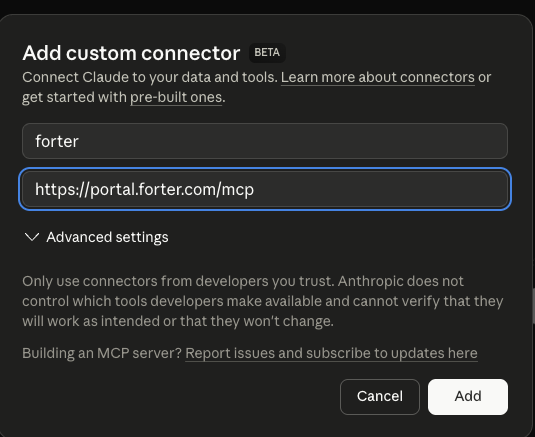
- Enter "Forter" as the name and "https://mcp.forter.com/v1" as the URL, then click Add
- Click Connect to authenticate with Forter and complete the login in your browser
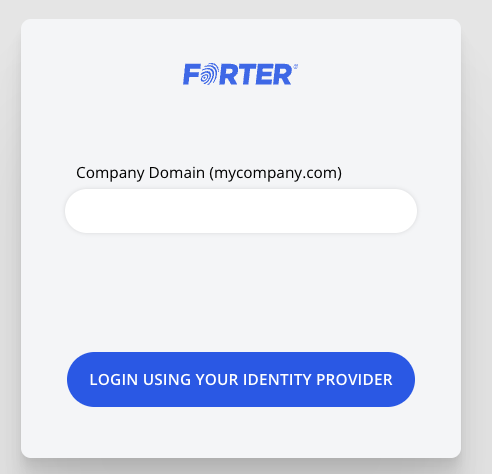
- Complete the Forter login in your browser
Claude Code
- Open your terminal and verify Claude Code is installed
- Add the Forter MCP server to Claude Code
- Close any open Claude Code session or start a new one
- Start Claude Code by simply running /claude
- Run the MCP command /mcp
- Select Forter and hit Enter >forter
- Select Authenticate and hit Enter to complete authentication with Forter SSO